Stripe Integration
Connect Stripe so customers can pay invoices online by card, wallet, or bank account.
Overview
Connect Forz to Stripe so your customers can pay invoices online. Customers pay by card, Apple Pay, Google Pay, or Link, and US customers can also pay by bank account (ACH). The money goes to your Stripe account, and Stripe pays it out to your bank.
Forz records each online payment on the invoice automatically, so you don't need to enter it by hand.
Before You Begin
Prerequisites:
You are an Admin or the Account Admin in Forz.
The Invoices module is enabled (Settings → Modules).
You have your business details at hand: legal business name, tax ID or SSN, business address, and the bank account you want payouts sent to. Stripe asks for these during setup.
Connecting Stripe
Go to Settings → Integrations.
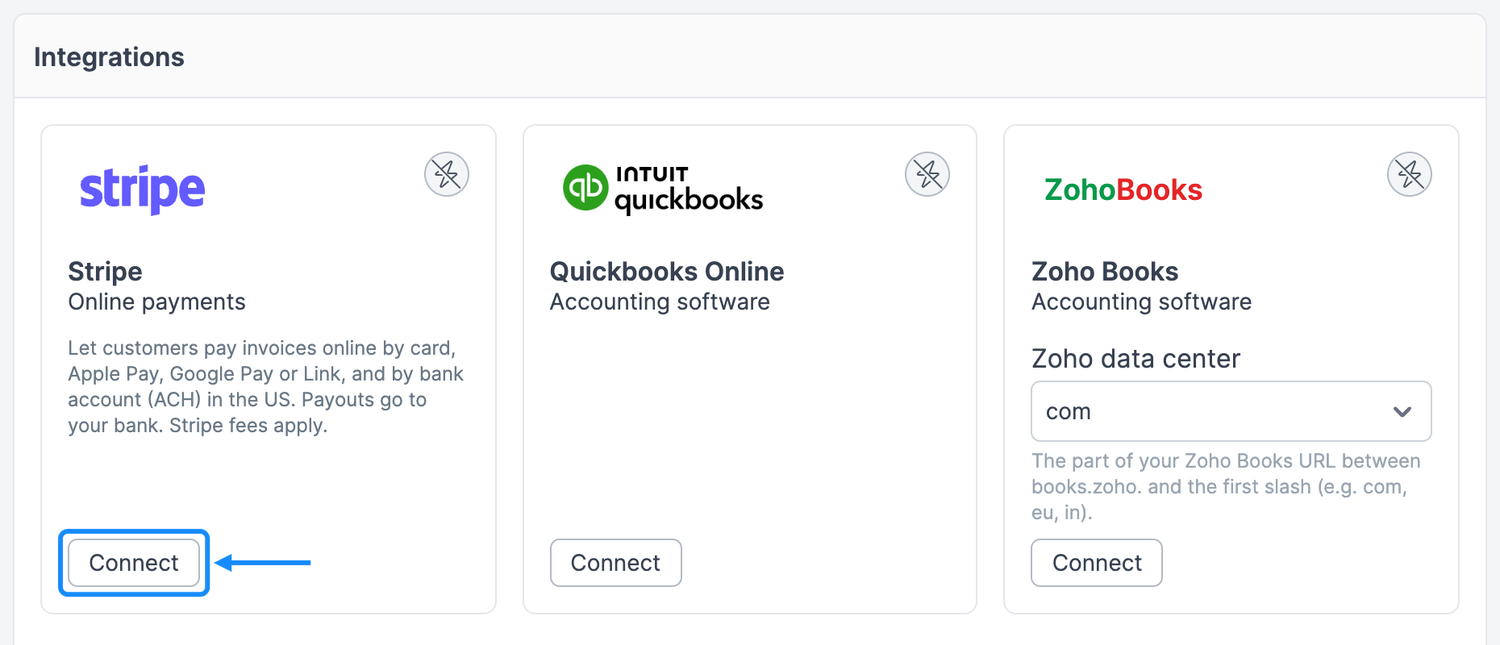
On the Stripe card, click Connect. Stripe's secure setup form opens.
Follow Stripe's steps. Stripe first asks you to create a Stripe login, using your company email from Forz. If that email already has a Stripe login, Stripe asks for its password instead. Stripe then asks for your business details and the bank account for payouts.
Click Agree and submit at the end. Stripe returns you to Settings → Integrations in Forz.
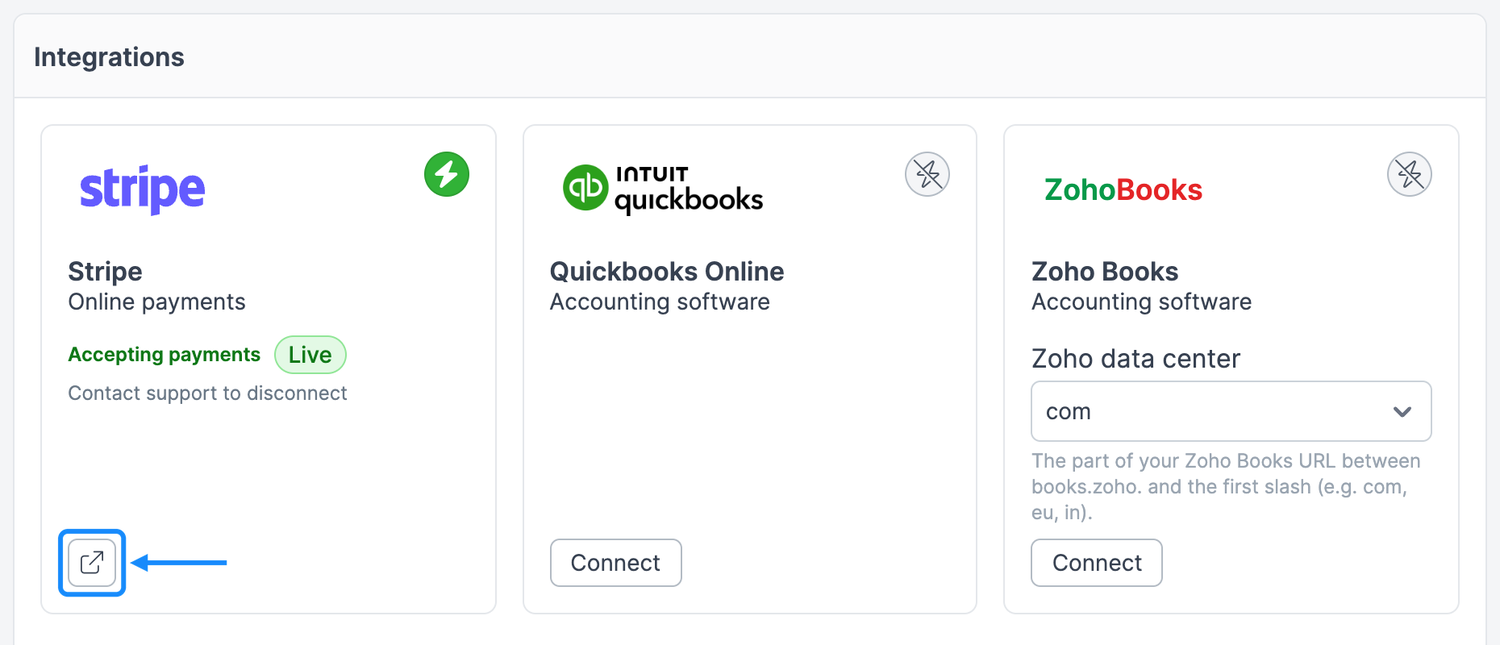
Expected result: The Stripe card first shows that Stripe is finishing your account setup. Once Stripe verifies your details, usually within a few minutes, the card shows Accepting payments with a green badge.
Note: Connecting sets up a new Stripe account for your company, even if you already use Stripe for something else. You can't link a Stripe account you already have.
Finishing setup
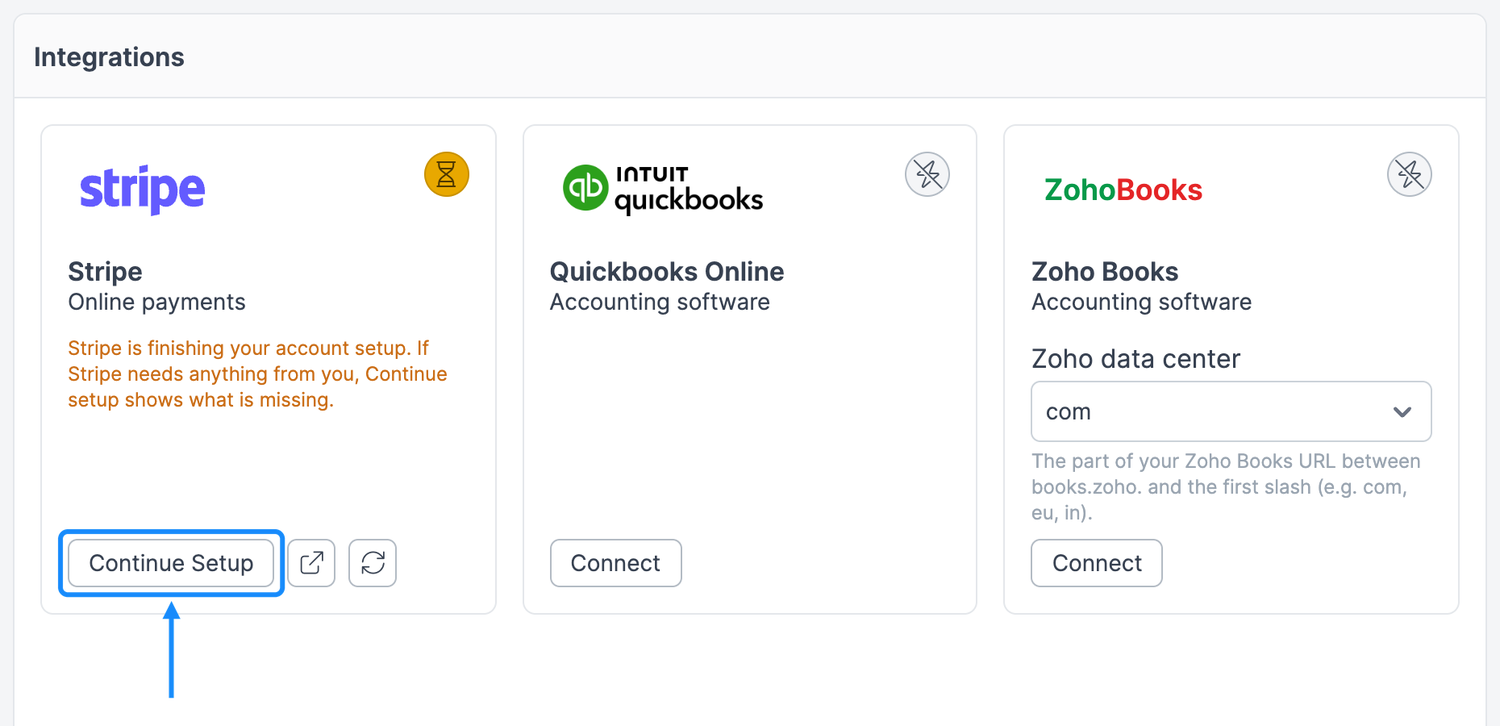
If you leave Stripe's form before you finish, or Stripe needs more information later, the Stripe card shows an amber badge and the message Stripe is finishing your account setup. Customers can't pay online until setup is complete.
Go to Settings → Integrations.
On the Stripe card, click Continue Setup. Stripe shows only what is still missing.
Complete the remaining steps and submit.
To check the latest status without opening Stripe, click the refresh icon next to Continue Setup.
When Stripe is connected
Once the card shows Accepting payments:
Pay Invoice button — Appears on invoices your customers open from the invoice link or the Customer Portal, as long as the invoice has a balance due and isn't Void. See Customer Checkout for what customers see.
Amount — Customers pay the invoice's full balance due, in your company's currency. They can't pay part of it online.
Recorded payments — Each online payment is added to the invoice, and the invoice balance and status update. The payment method is Card for card, Apple Pay, and Google Pay payments, ACH for bank account payments, and Stripe for anything else, such as Link. After Forz records an online payment, its payment method also appears in the Payment Method list when you record a payment yourself. Card and wallet payments are recorded right away. ACH payments are recorded when they clear, usually in 3–5 business days.
Your Stripe Dashboard — Click the external link icon on the Stripe card to open Stripe. Use it to see payouts, fees, and customer payments, and to change which payment methods you accept.
Fees, payouts, and refunds
Fees — Stripe's processing fees apply to each payment and are deducted by Stripe before payout.
Payouts — Stripe sends your balance to the bank account you added during setup, on the schedule set in your Stripe Dashboard.
Refunds and disputes — Handle these in your Stripe Dashboard. A refund issued in Stripe doesn't change the payment in Forz, so update the invoice in Forz yourself if needed.
Disconnecting Stripe
To stop taking online payments or move to a different Stripe account, contact Forz support. The Stripe card shows Contact support to disconnect as a reminder.
Pending bank payments — Wait for bank payments that are still processing to clear before you disconnect. A bank payment that clears after you disconnect isn't recorded in Forz, so you'd need to add it to the invoice yourself.
Reconnecting — If you connect again later, Stripe sets up a new account. Sign in with the same Stripe login and Stripe offers to reuse your business details and bank account, so you don't have to enter them again. Your earlier payments stay in your previous Stripe account.
Permissions
Only Admins and the Account Admin can connect Stripe, continue setup, or refresh the status. Other users who can open Settings → Integrations see the card's status without buttons. The Stripe card appears only when the Invoices module is enabled.
Troubleshooting
Was this helpful?
Still need help? Ask the team